



Mobile Casino App
Once you install the Meowzino app, your gaming experience on the go reaches a whole new level. This is made possible by unique features such as fast load times and an optimized touchscreen interface. All functionality, such as the full game catalog and security systems, has also been carefully ported from the web version. Thanks to PWA technology, installation takes just a few minutes. The application is available for download on Android and iOS devices, as well as on desktop computers.



How the Meowzino app Performs on Mobile
On mobile devices, the Meowzino Casino app performs noticeably better than the browser version thanks to cache optimization and direct access from your home screen. Unlike the desktop variant, its portability allows you to visit the mobile betting section anywhere in the world without any loss of quality. Crash games are a great way to experience the full range of gaming thrills in a short amount of time, and thanks to the simple rules, you can stay focused on reality while on the go or waiting in a long line and switch gears quickly.
On smaller screens, the interface adapts with larger buttons and intuitive touch controls, so you can navigate with ease while on the go. The PC version features a larger screen and mouse precision, but the Meowzino app offers the same game library, account features, and payment options. It all depends on where you want to play.
Mobile App for iOS & Android
On mobile platforms such as iOS and Android, the Meowzino app download process is just as simple. When you first open the Android app, everything will likely feel familiar, and you’ll quickly get used to it. You don’t need to visit the App Store or third-party sources to download the iOS app, so you avoid the risk of your data falling into the hands of scammers. Below is a list of the main features available in our progressive web app:
| Feature | What It Does |
| Push Notifications | Real-time notifications of new promotions, bonuses and tournaments, even when the app is closed |
| Full-Screen Mode | Hides browser toolbars for a full gaming screen experience |
| Fast Loading | Optimized for quick access to the lobby and stable live dealer streams, even on fluctuating networks. |
| Minimal Storage | Doesn’t require a large download, saving space on your device |
| Direct Access | One tap opens the game lobby from your home screen, without needing to enter a URL each time |
This setup turns the Meowzino mobile app into a convenient and fully functional gaming system, made for gaming on the go.
Availability of the Meowzino APK
You don’t need to install a separate Meowzino APK to access the application. We’ve chosen PWA technology as our primary platform because of its many advantages, such as reduced battery consumption on your device. There are also no restrictions based on operating system or device and no intrusive ads, which are common in APK files or applications from app stores. You don’t need to install questionable apps from the web, since our app is available for installation directly from the website.
Meowzino download app to your mobile device only takes a few minutes. Here’s what you need to do:
- Open our website in your mobile device’s browser
- Find the menu button and tap it
- Select “Add to Home Screen” and name the app
- Confirm the installation and wait for the icon to appear on your smartphone’s screen
Once the installation is complete and you log in, you’ll be taken to the application, where you can immediately start playing mobile slots in the optimized version of our platform.
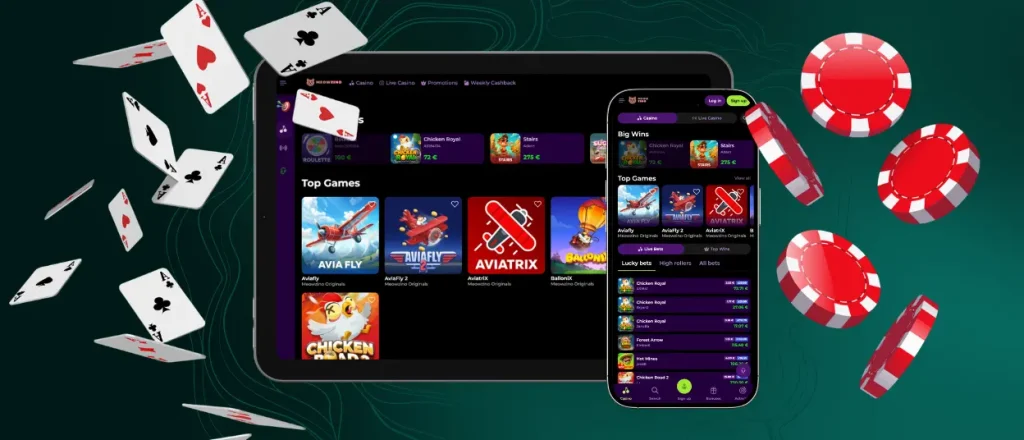
Desktop Gaming at Meowzino
The gaming experience on macOS and Windows PCs has also been enhanced thanks to the Meowzino app. We’ve achieved this through features such as native full-screen mode and the elimination of loading screens when switching between sections, allowing you to immerse yourself even more deeply in the game without any unnecessary or intrusive elements.
To install the application, simply locate the button in the address bar on the website; after clicking it and confirming the action, the Meow Zino app will appear on your desktop within a couple of seconds. Once you log into your account, you’ll immediately notice changes, such as the smoothness of the interface.

FAQ
Can I contact customer support through the Meowzino app?
Yes, customer support is available through the Meowzino app. To access it, simply tap the button, and one of our representatives will respond via live chat to help you get back into the game as soon as possible. For more complex issues, further instructions may be sent to your email.
Can I use my PC account to log in to the mobile app?
It doesn’t really matter where or how you registered your account, since it’s universal. So, even if you started wagering on bonuses from a computer, you can easily continue with the offers by checking their status in the dedicated section of your mobile casino profile in the Meowzino app.
Does my balance update across all devices in real time?
Your balance and all other transactions are processed on the Meowzino app servers, ensuring that everything happens in real time and instantly. So you can feel free to get up from your desk and hit the road with our application.
What should I do if the Meow Zino App freezes or stops working?
If you have any problems with the Meowzino app, please contact our support team and explain the problem. Our specialists will do everything possible to solve the problem quickly so that you can return to comfortable mobile gambling.


